Know what’s connected.
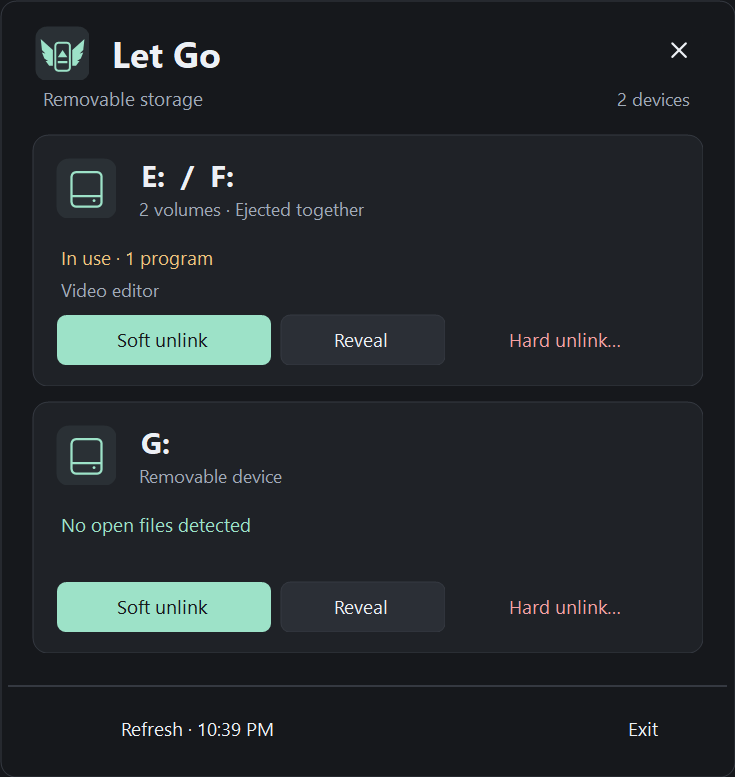
Open the tray panel to see removable drives and detected file use. Checks happen in the background, so the menu stays responsive.
 Let Go.
A LITTLE UTILITY FOR WINDOWS
When Windows says “device in use,” Let Go helps you find out why. See what’s holding your drive, release it, and unplug.
Download for WindowsFree download · Windows x64 · Portable ZIP
FROM “IN USE” TO UNPLUGGED
Open the tray panel to see removable drives and detected file use. Checks happen in the background, so the menu stays responsive.
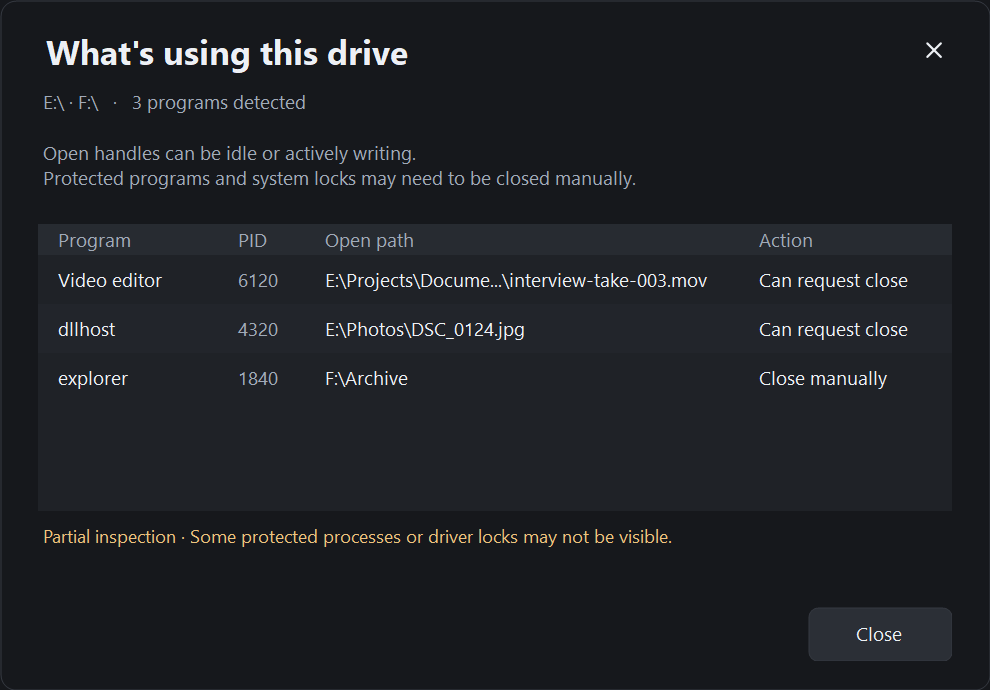
Reveal lists the programs and file paths keeping a drive open. Close the file yourself, or let the app help you release it.
Soft unlink asks Windows to eject. If blocked, it asks eligible programs to close and tries again. Wait for “Safe to remove,” then unplug.
NO MORE MYSTERY LOCKS
Find the file you forgot was open. Let Go shows the locks it can detect, so you can make an informed choice.
Some protected programs and driver locks aren’t visible. An empty list is not a guarantee that a drive is unused.
Read how detection worksYOU CHOOSE THE SEND-OFF
Requests safe removal, then asks eligible programs to close if needed. Programs can ask you to save or refuse to close.
Shows eligible programs before terminating them and retrying safe removal. Unsaved work in those programs can be lost. Windows can still refuse to eject.
AT HOME ON YOUR DESKTOP
Follows your Windows app theme. The tray icon follows the taskbar theme.
READY WHEN YOU ARE
Download the ZIP, extract it to a folder you want to keep, and run ReliableEject.exe. Look for the winged drive in your tray.
↓ Download Let GoRelease notes & SHA-256 ↗Early release · Windows x64 · .NET runtime included
Yes. Create a shortcut to ReliableEject.exe with --startup after the quoted target path. Press Win + R, enter shell:startup, and put the shortcut there. It will start in the tray when you sign in. Delete the shortcut to turn this off.
This early release is not code-signed. Windows may show an unknown-publisher or SmartScreen warning. Download only from the linked GitHub release and compare its SHA-256 checksum if you want to verify the file.
No. Both actions ask Windows for normal safe removal. Hard unlink can terminate programs you approve, but it does not bypass a Windows veto or forcibly dismount a busy filesystem.
The app checks drives and open files locally. It has no account, analytics or telemetry. This website loads no analytics scripts; its hosting provider may process ordinary request logs. GitHub and Ko-fi have their own privacy policies.
SMALL TOOLS, INDEPENDENTLY MADE
If Let Go saved you some time, a coffee is a lovely way to say thanks.